



Have you seen this iconic newspaper clipping? I think I’ve included it in every AI presentation I’ve given.
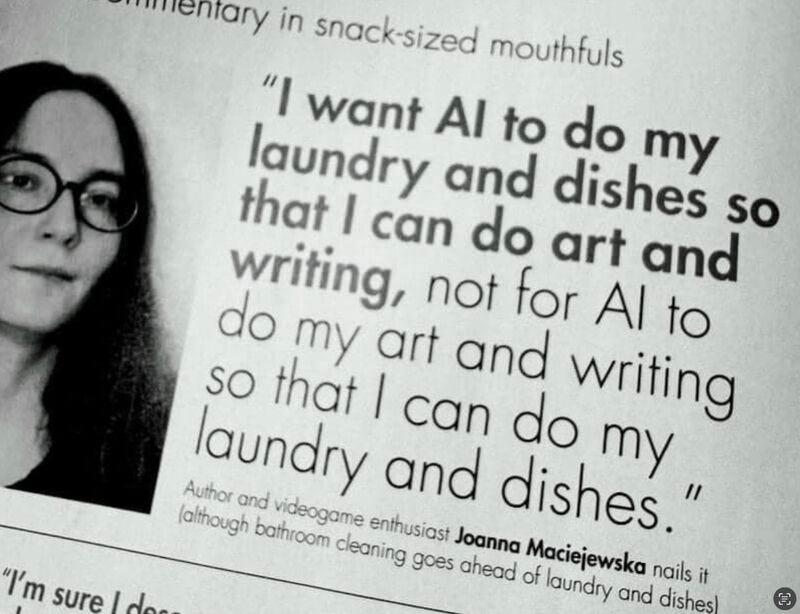
Well, readers, I’m here to tell you that AI does help me do laundry.
NotebookLM…for Laundry?
NotebookLM is an underrated tool. It essentially creates a closed-off AI experience limited to your sources, which means it doesn’t make things up like regular LLMs might.
At work, I use it to reference sets of sources, like ask a question about all of our policies, or create a presentation based on a long list of articles.
Outside of work, my powerhouse home NotebookLM has ALL of my appliance manuals. I no longer have to flip through a 200 page paper manual to figure out what an error code means, how often I’m supposed to clean my dishwasher, or how to wash jeans in my new washer.
I simply ask my NotebookLM. I even have the app on my phone, because who wants to take their laptop to the basement to do laundry.
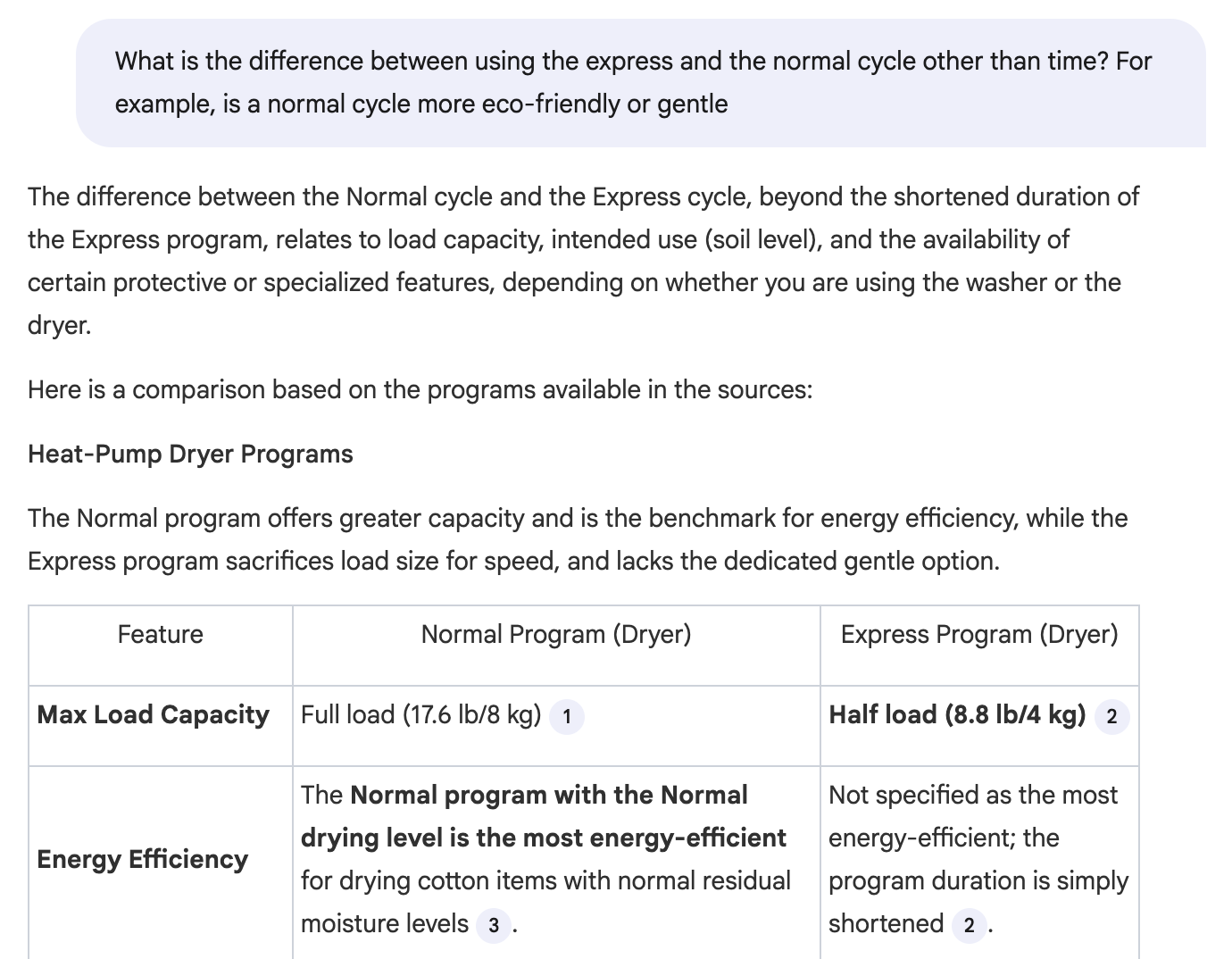
For example, I got a new washer/dryer and didn’t understand the difference between the cycles:
Creating an appliance NotebookLM
Download copies of your appliance manuals - usually they can be found on manufacturer websites.
Visit notebooklm.google.com
Select “Create New” button
Upload your manuals
Now your notebook has been created! You can use the chat to ask questions. The little numbers in NotebookLM’s responses are references to your sources.
Bonus idea: create a maintenance schedule
The Studio features, found in the right pane, let you interact with your sources in different ways. I want to make sure I am taking care of my appliances, so I experimented with ways to create a maintenance schedule.
I used three studio features:
Data table
Infographic
Slide deck
Tip: don’t just ask for a generic data table / infographic / slide deck. Instead, click the pencil icon and use a specific prompt, for example:
Create a maintenance schedule for all my appliances
Results
Each format had its strengths. I liked the detail and comprehensiveness of the data table, but it felt overwhelming, so I took it into Gemini and asked for a weekly and monthly plan.
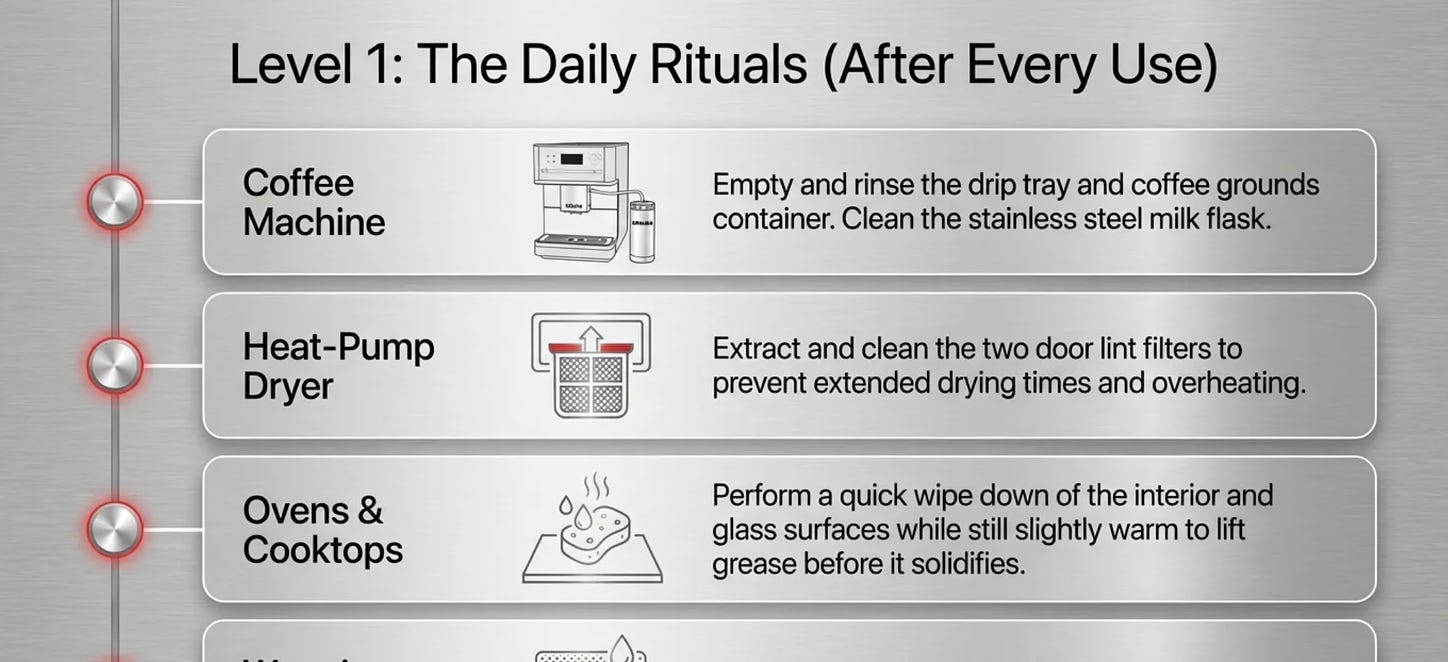
The infographic was perhaps the most useful, though in my case it was a lot of information to fit on one sheet.
The slide deck had its advantages - it could spread out the dense information onto many slides.
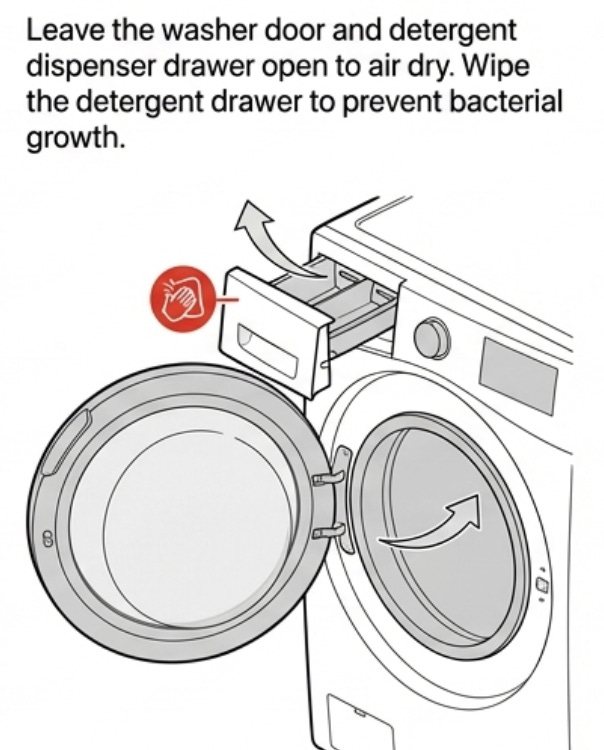
Just seeing the visuals was so helpful. For example, I realized I was supposed to be leaving the detergent dispenser open to air dry! I had no idea.
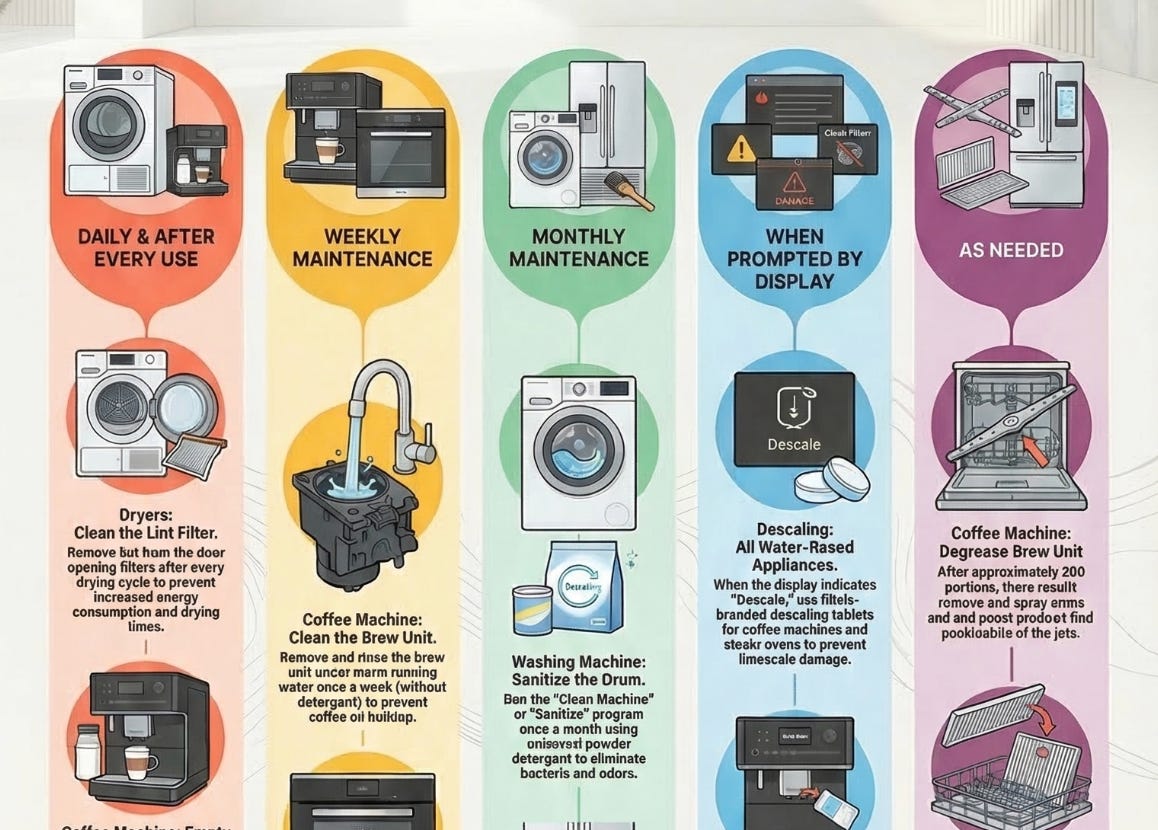
Above, part of an infographic. Below, part of my slide deck.
Have you tried this? Do you use NotebookLM for any other non-work / school uses? Let me know!
P.S. Shoutout to Miele and Yale Appliance - love my appliances! (Not an ad, I’m just a fan.)


